When a strategy is driven by API signals (for example TradingView webhooks), Tradetron does not check its conditions. It only acts when a signal arrives, because the signal logic runs on your side.
Turn on Hybrid Mode if you also want Tradetron to check conditions, such as your target and stop-loss exits, while signals still come from outside. How often conditions are checked depends on your settings and plan.
Watch out: if a signal arrives outside your trading-time settings in Advanced settings, the strategy still acts on it and ignores those settings. Add a time condition in the condition builder if you want to restrict it.
How to turn it on
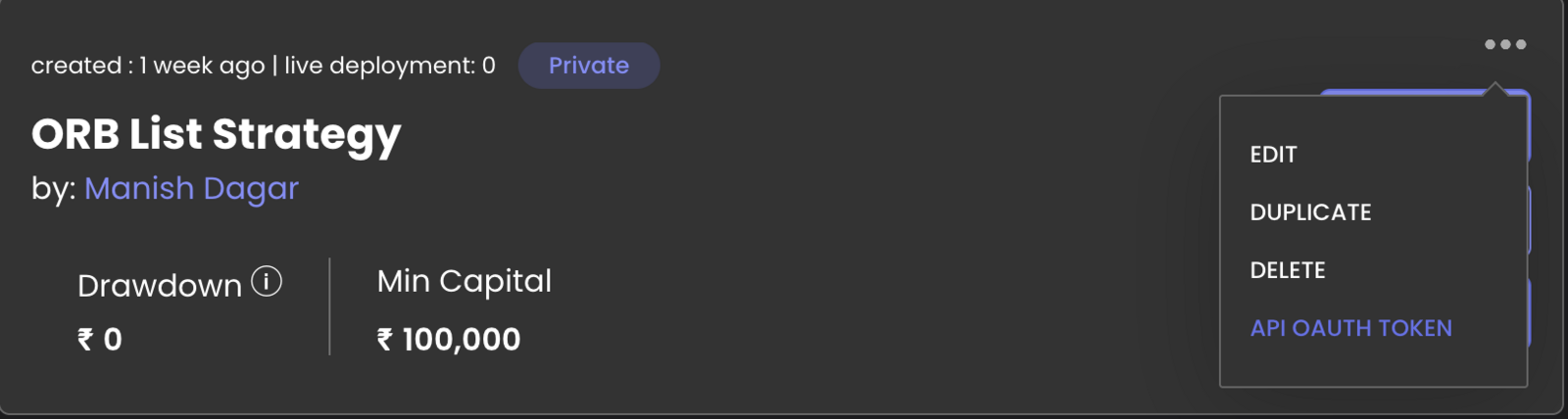
- Go to My Strategies, click the three dots on the strategy and open API OAuth.
- Set Hybrid Mode to Yes and click Link.
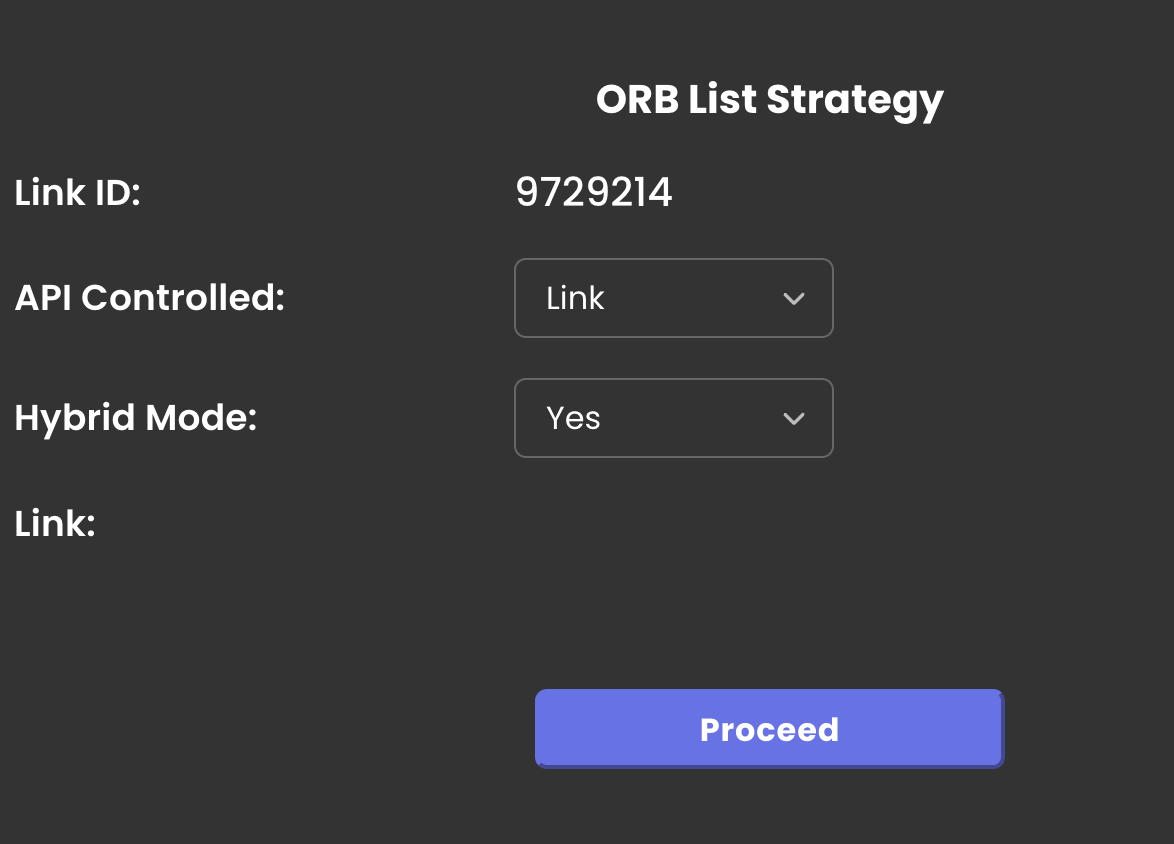
The auth token is tied to that one strategy. Unlinking and relinking creates a new token.
 Edited with AI from the original Tradetron article, checked against current docs (Oct 2026). Spot something wrong? Tell us in the Community.