This guide builds a list-based VWAP crossover strategy that adds to a position on small dips and exits in two stages. The example uses a US stock list (US_list on NASDAQ).
VWAP (volume weighted average price) is the day’s average traded price weighted by volume. Many traders read price above VWAP as bullish and below as bearish.
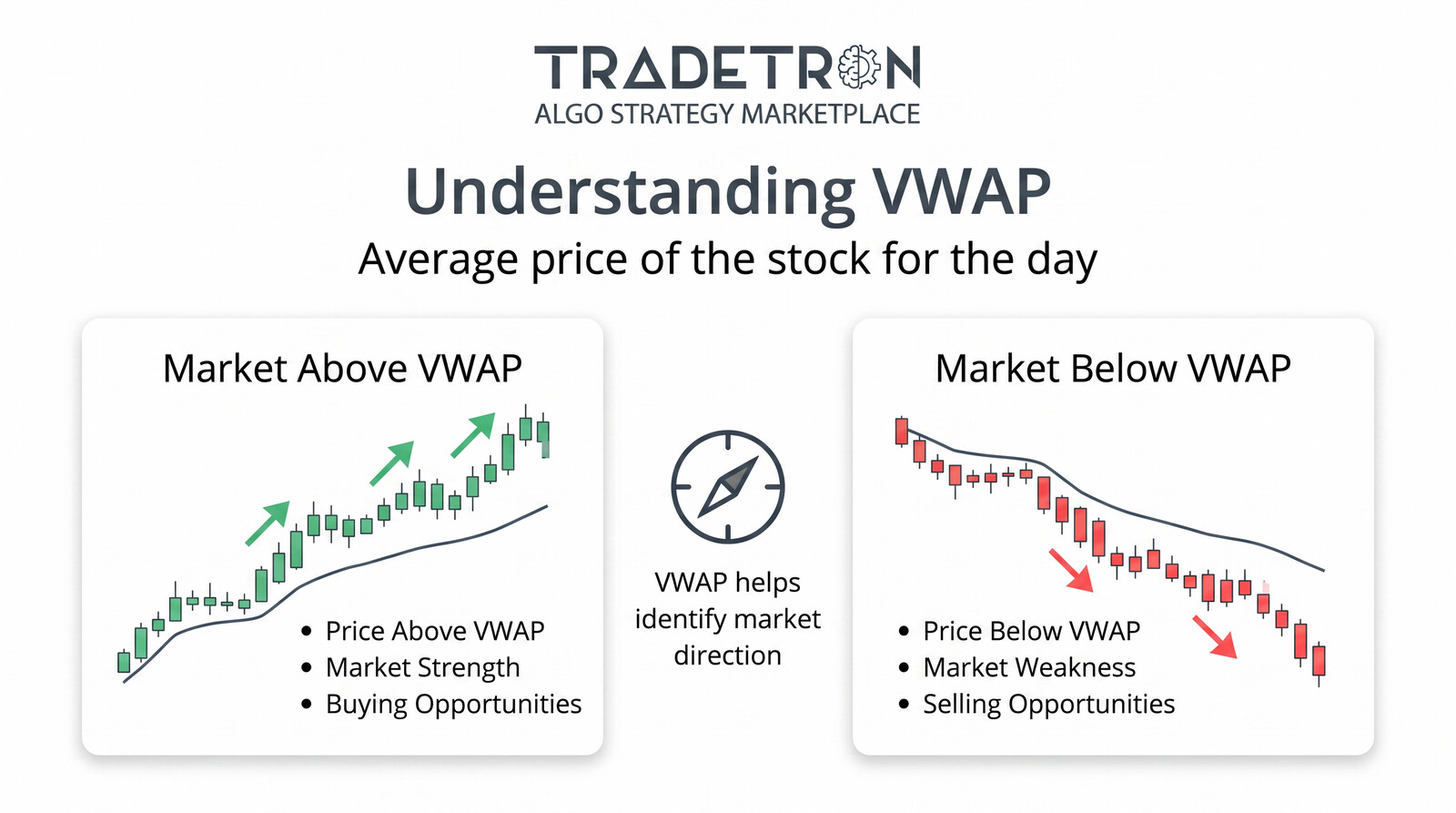
The logic
- Entry: a two-candle VWAP crossover on the 15-minute timeframe. Candle -2 closes on one side of VWAP and candle -1 closes on the other side.
- Averaging: each time price moves 0.11% against the last entry, add 1 quantity.
- Partial exit: at 0.5% profit from the latest entry price, exit 50% of the position. This only activates after at least one averaging trade.
- Full exit: at 1% profit from the latest averaging price, exit the rest.
- Reversal exit: if price crosses VWAP the other way, exit everything.
- No fixed stop loss: risk is controlled only by the reversal exit. Averaging into a losing trade without a stop loss can build large losses; understand this before using it.
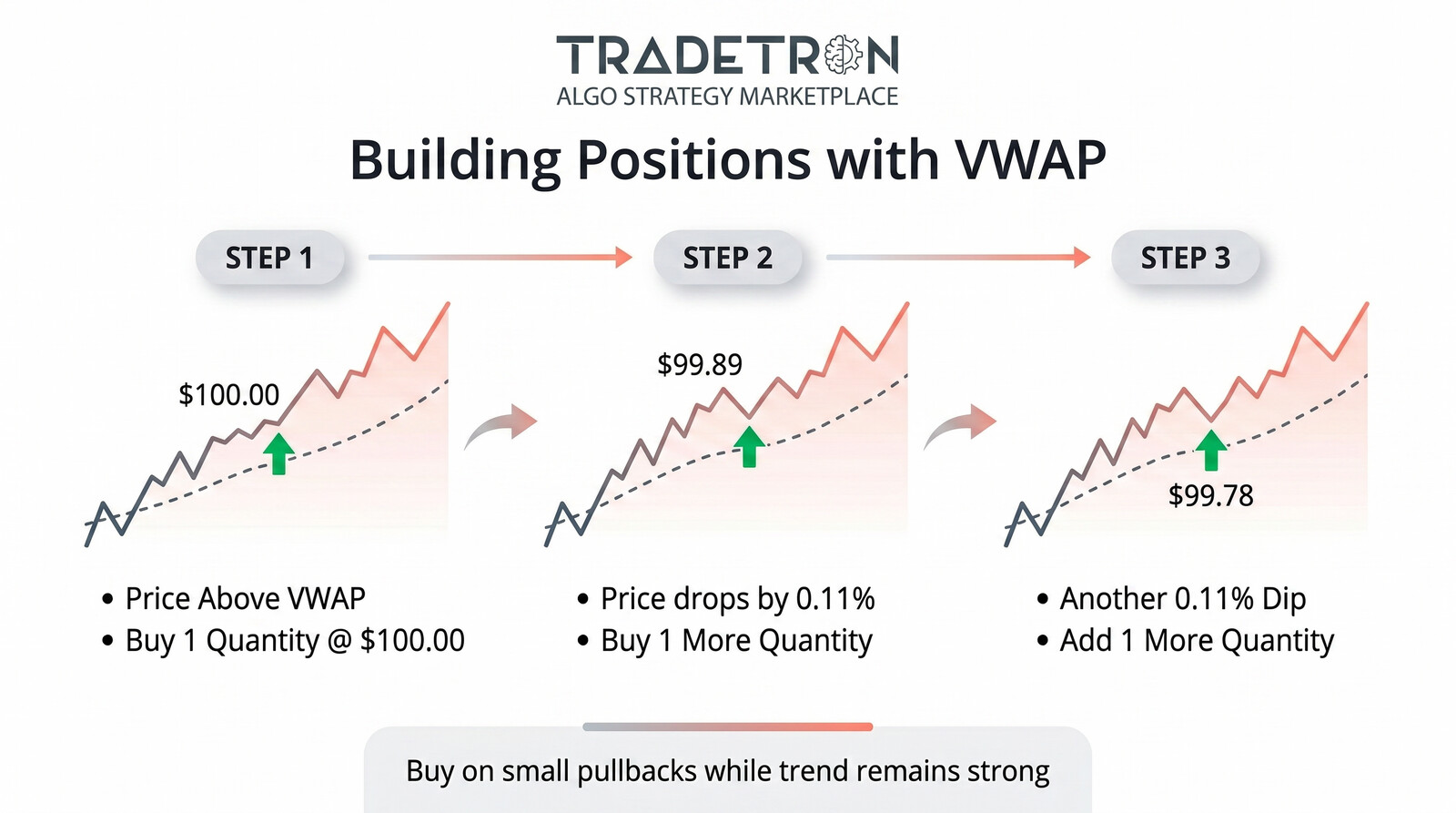
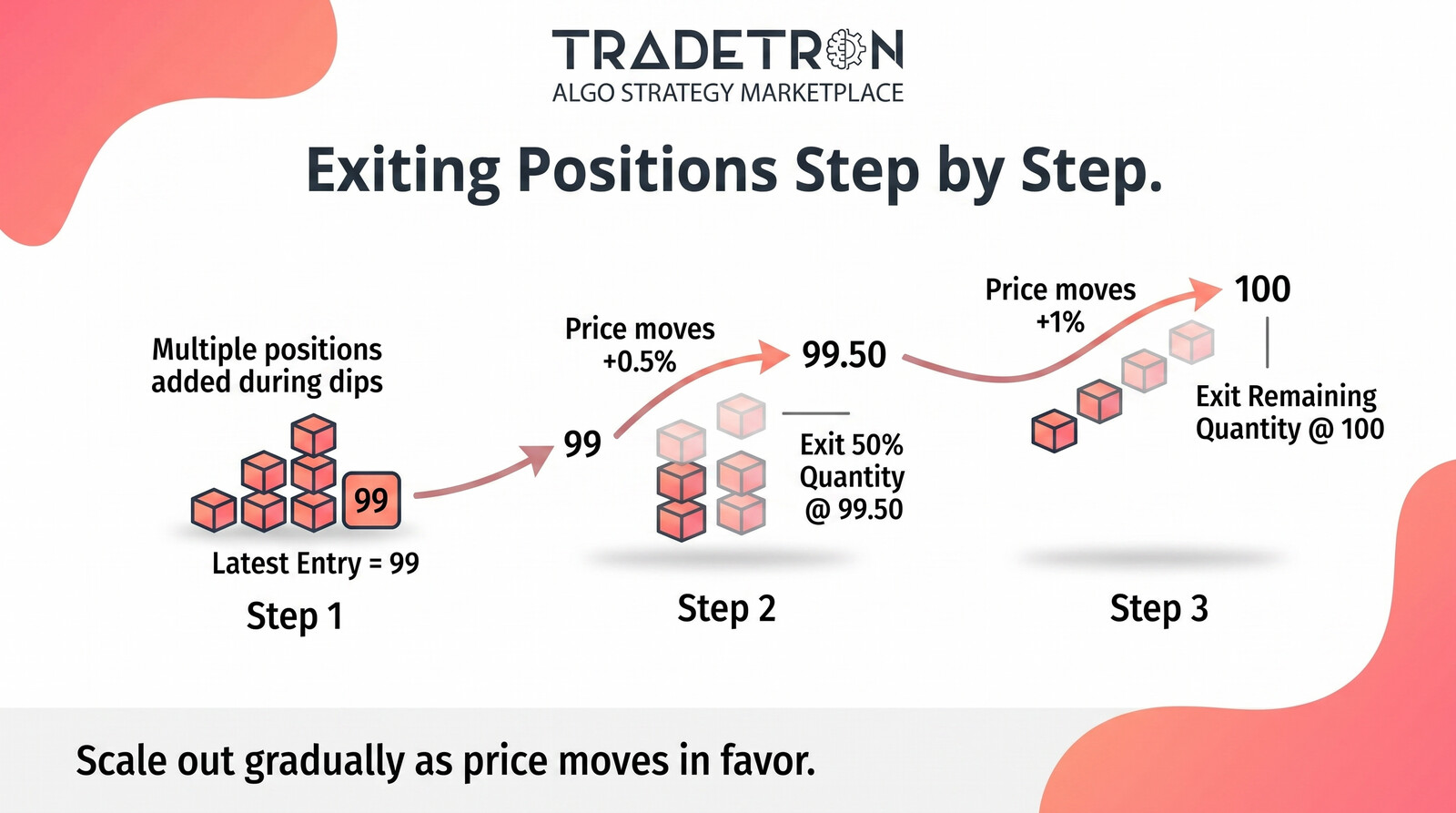
Part 1 — Entry
Step 1 — Create the strategy
Open the Strategy builder, name it (for example “VWAP Strategy”) and add two sets: Set 1 for buys, Set 2 for sells.
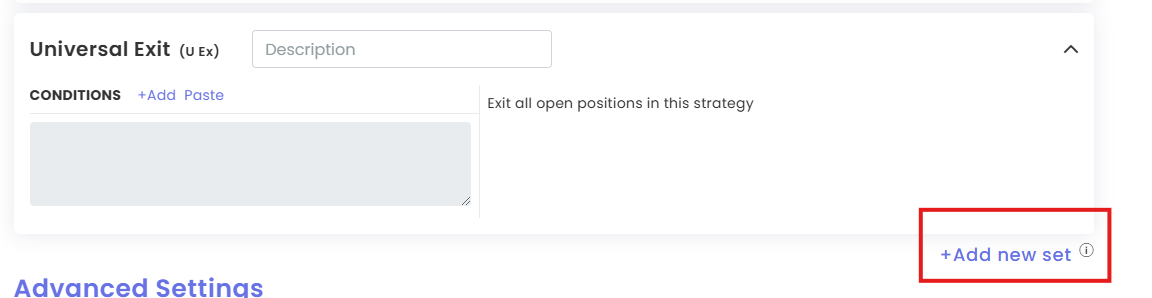
Step 2 — Set 1 bullish condition
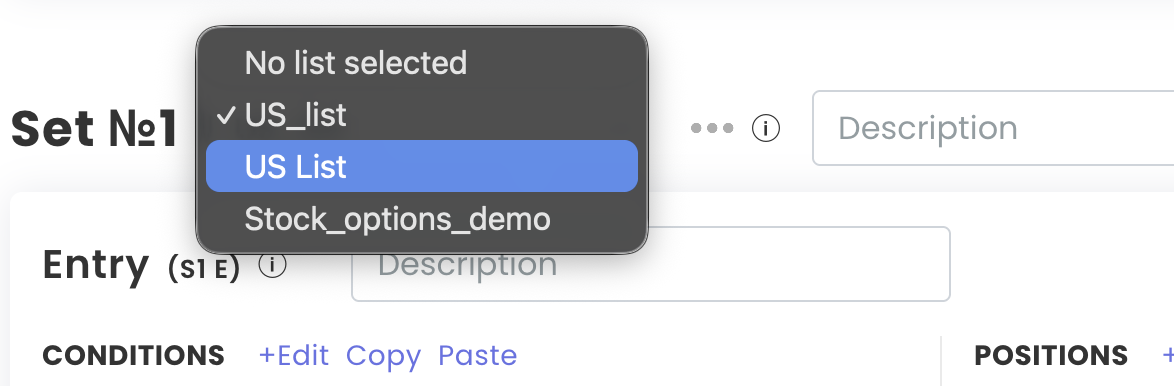
- Select US_list as the instrument list.
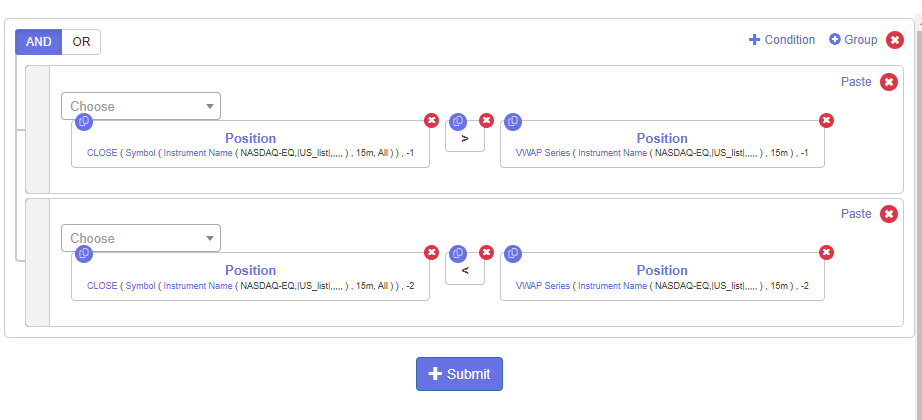
- Click Add, choose the Position keyword, then VWAP Series. Set candle -1, timeframe 15 minutes, NASDAQ Equity, US_list.
- Add a second keyword: Close on 15 minutes for US_list.
- Condition: Close greater than VWAP.

Step 3 — Crossover confirmation
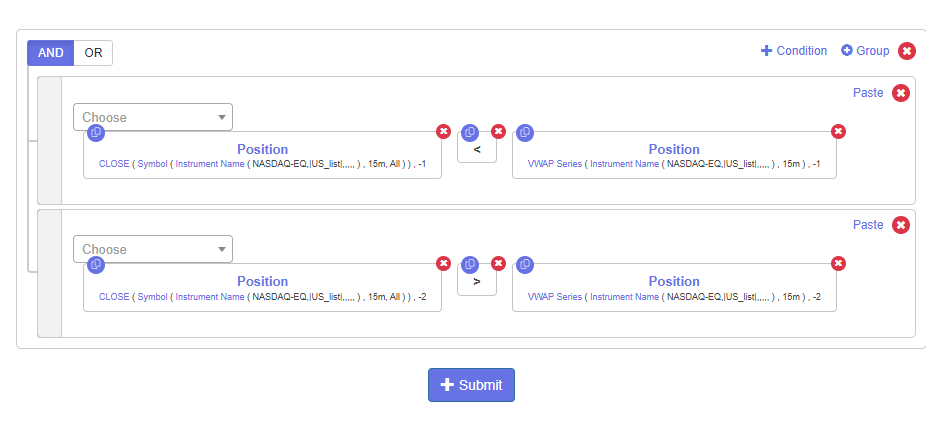
Copy the condition, change candle -1 to -2 and greater than to less than. The entry now reads:
- Candle -1: Close greater than VWAP
- Candle -2: Close less than VWAP
Step 4 — Buy position
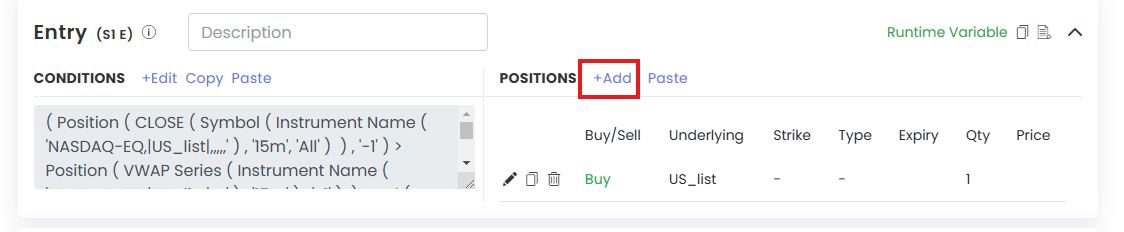
In the Position builder, click Add, set quantity 1 and action Buy. Save.
Step 5 — Set 2 bearish entry
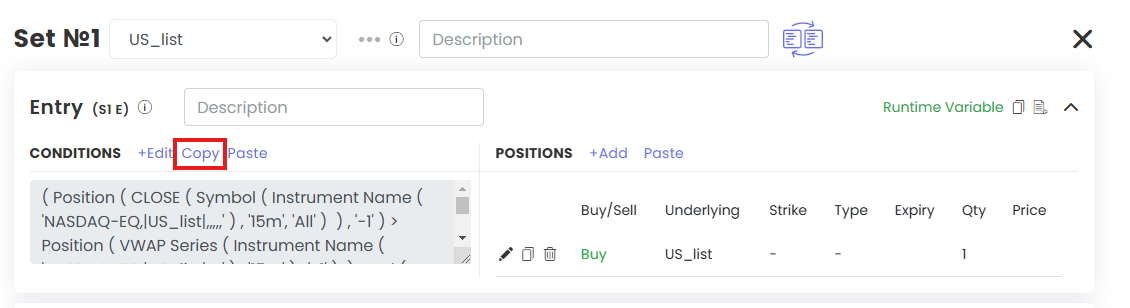
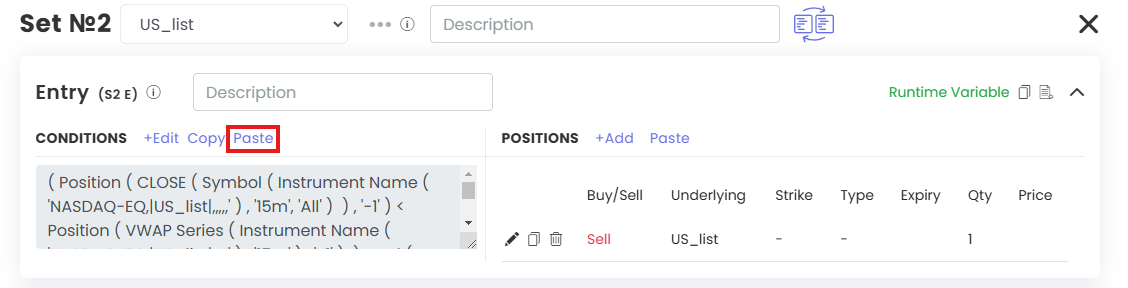
Copy Set 1 into Set 2. Swap every greater than / less than and change Buy to Sell.
Step 6 — Store the entry price
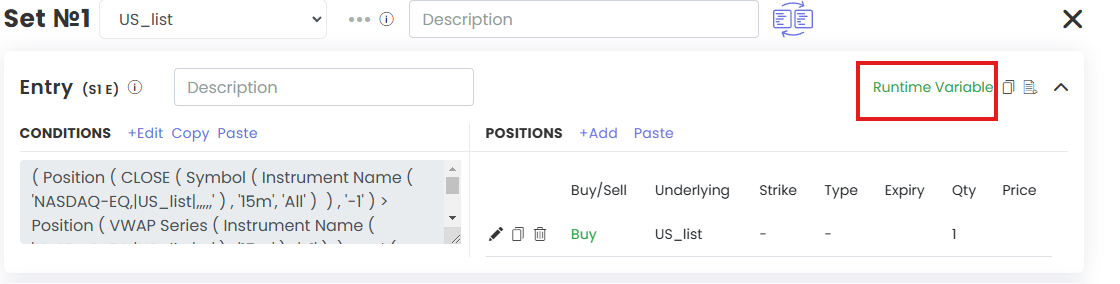
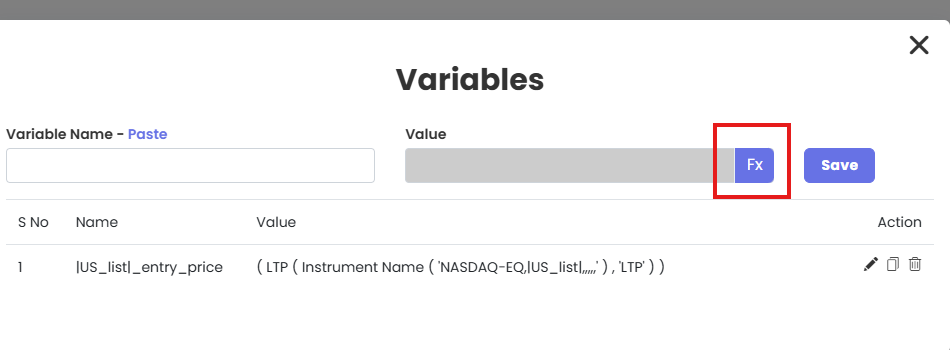
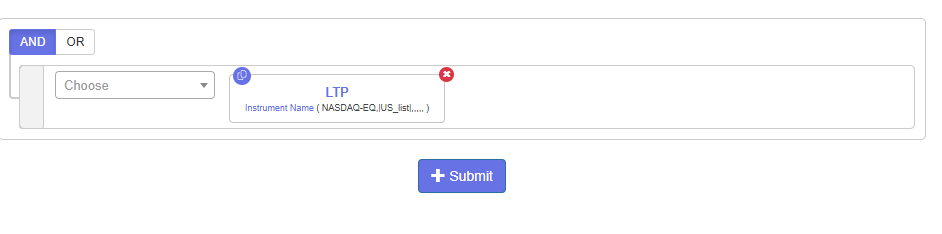
Click Add Variable, name it |US_list|_entry_price, click FX, choose LTP for US_list. Submit and save. Copy the same variable into Set 2.
Part 2 — Repairs and exits
Step 7 — Averaging with Repair Continuous
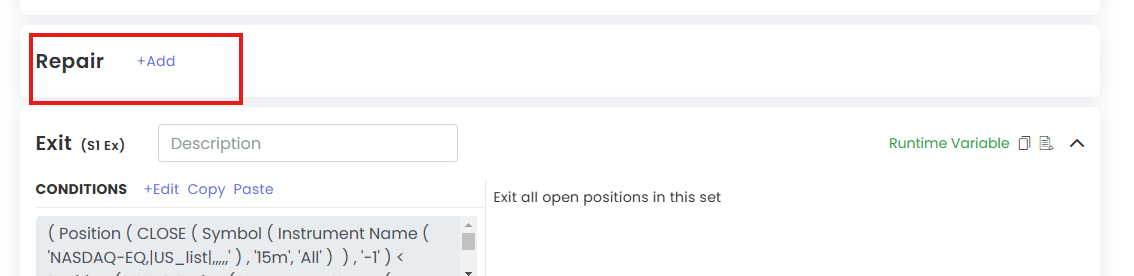
- Click Add Repair and set the type to Repair Continuous.
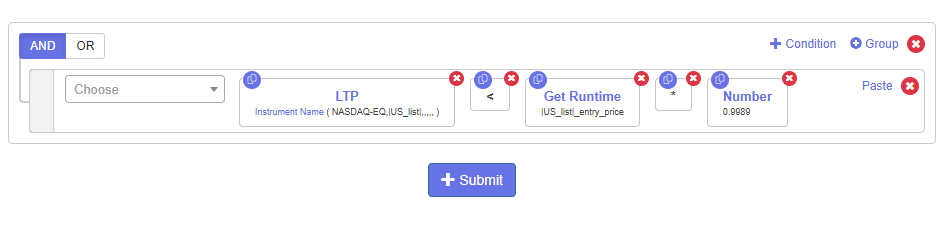
- Condition: LTP of US_list less than
|US_list|_entry_price× 0.9989 (a 0.11% drop).
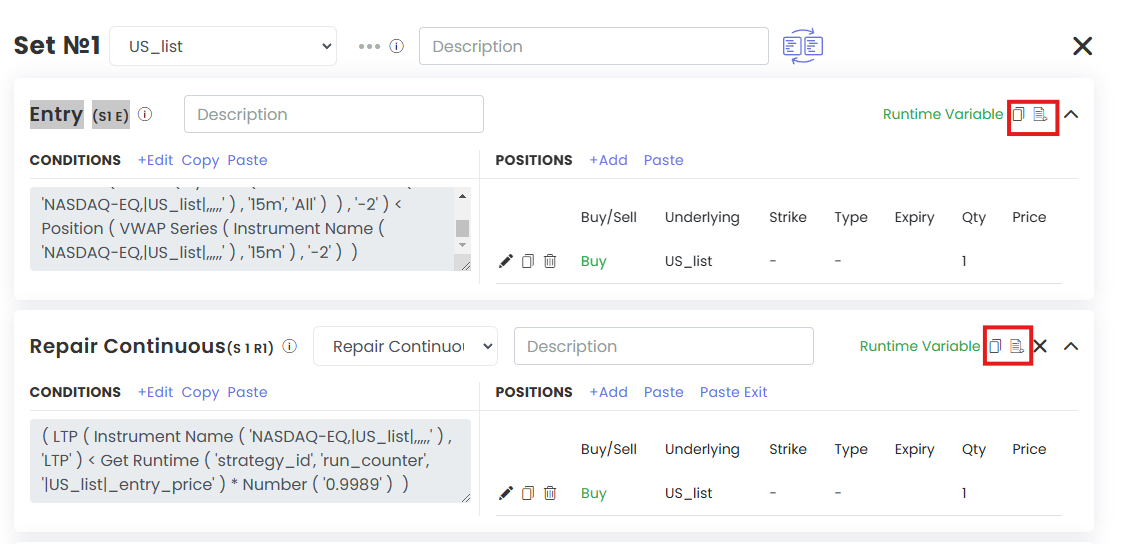
- Copy the runtime variable from the Entry (S1 E) into this Repair Continuous block (S1 R1) so the entry price updates after each add.
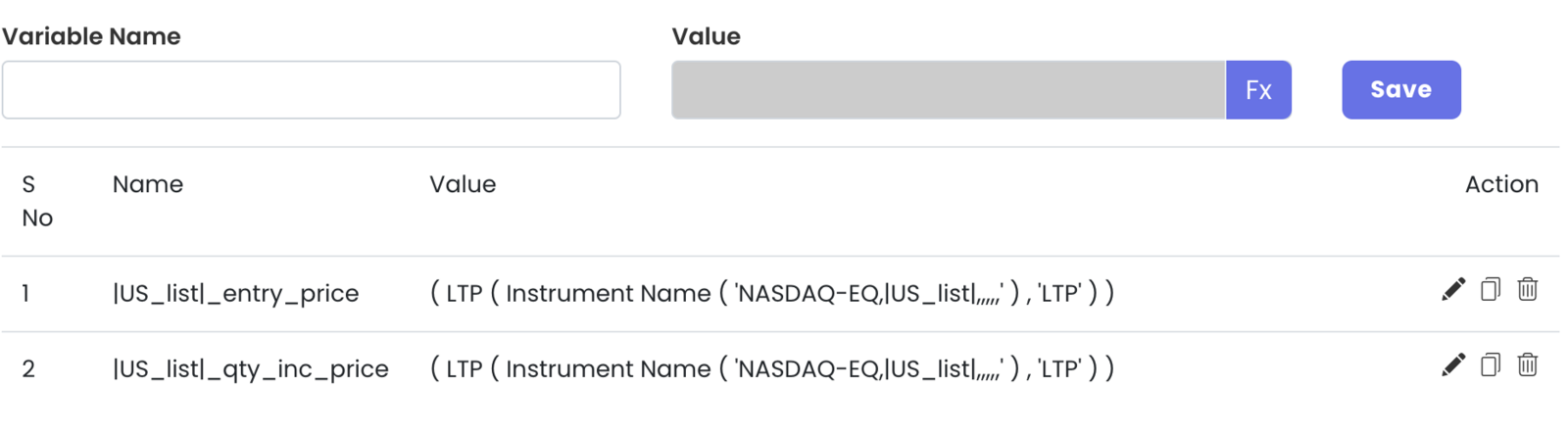
- Add a second runtime variable here,
|US_list|_qty_inc_price, to store each averaging price. Set the Position builder quantity to 1.
Step 8 — 50% exit at 0.5% profit
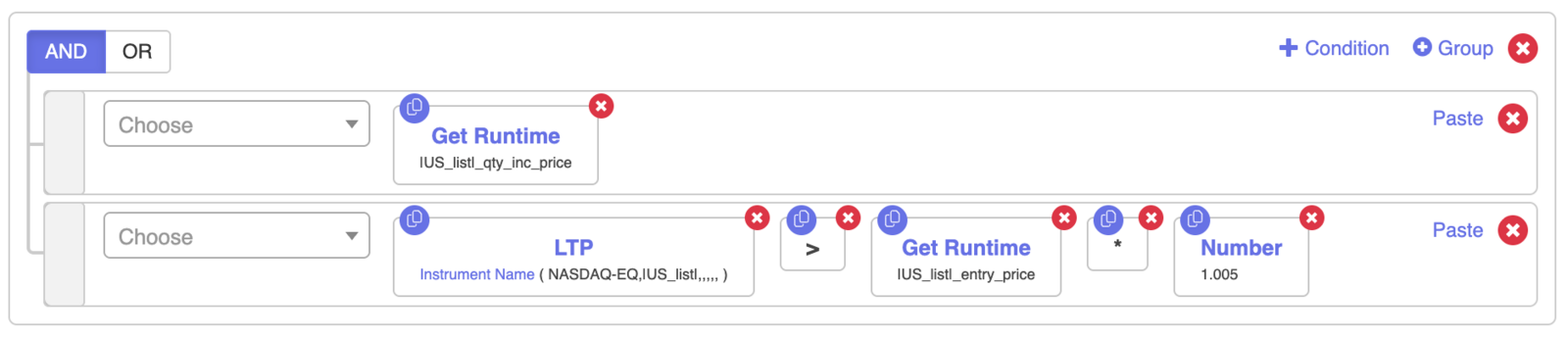
- Copy the Repair Continuous block. Change less than to greater than and 0.9989 to 1.005: LTP of US_list greater than
|US_list|_entry_price× 1.005. - Add
|US_list|_qty_inc_priceas an extra condition. It has no value until an averaging trade happens, so this exit stays off until then.
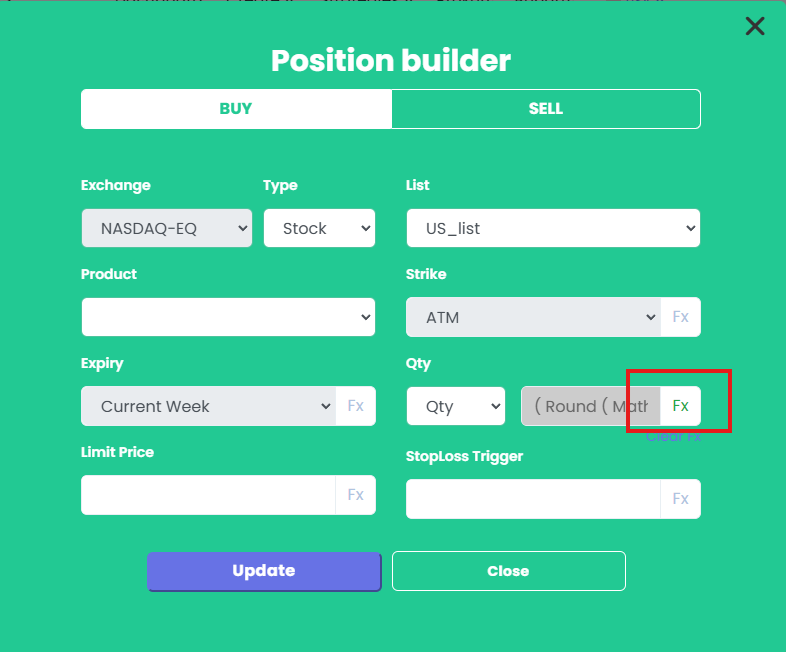
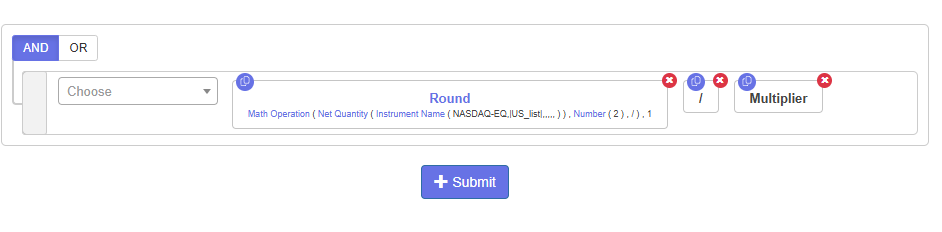
- Set the exit quantity with FX: Round(Net Quantity ÷ 2 ÷ Multiplier). Dividing by the multiplier keeps the size right if the strategy is deployed with a multiplier.
Step 9 — Full exit
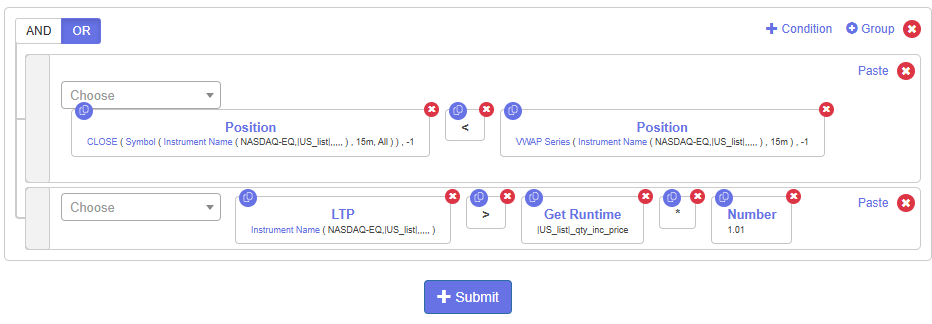
- Copy the entry conditions into the exit section and reverse every comparison. This is the VWAP reversal exit.
- Add another exit condition: LTP of US_list greater than
|US_list|_qty_inc_price× 1.01 (1% target).
Step 10 — Set 2 repairs and exits
Repeat Steps 7–9 for Set 2 with reversed signs. In the 50% exit quantity, use the absolute value of Net Quantity before dividing by 2, because sell positions have negative quantity.
Step 11 — Reset variables on exit
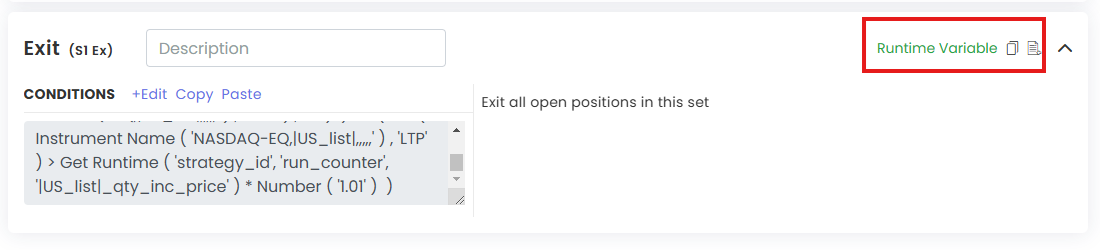
Copy |US_list|_entry_price and |US_list|_qty_inc_price into the Exit Runtime Variable section of both sets and set their value to 0 instead of LTP. This stops the next trade from using old values.

How it runs
- Every 15 minutes, each stock in US_list is checked for a VWAP crossover.
- On a crossover it enters 1 quantity and stores the entry price.
- Each further 0.11% move against the trade adds 1 quantity and updates the stored prices.
- After at least one add, the 50% exit is active at 0.5% profit.
- At 1% profit from the latest averaging price, the rest exits.
- A VWAP cross the other way exits everything.
- Variables reset to 0 and it waits for the next crossover.
Before going live
Run it in Live Offline first and check the notification logs to confirm each repair and exit fires as expected.
Full build playlist: https://www.youtube.com/playlist?list=PLbaK-IXrHgNKLf2sUKts9KlDWt0C-A3Uu
For education only. This is not investment advice. Trading involves risk.
 Edited with AI from the original Tradetron article, checked against current docs (Oct 2026). Spot something wrong? Tell us in the Community.